eKasa that is a joy to manage.
Simple maintenance-free hardware, a clear wiki with procedures, and devices in stock with next-working-day delivery. On a computer and on a payment terminal.
Why technicians like our eKasa
Less time spent on installation, fewer call-outs for faults and fewer spare parts in stock.
Documentation at hand
Manuals and recommended procedures in a clear wiki. Always up to date and free of charge.
Drag-and-drop XML files
Load the data from the eKasa zone by simply dragging the file, with no manual retyping.
Minimum spare parts
The storage connects the computer to an ordinary receipt printer. No maintenance or inspections.
Almost any printer
All it needs is a serial connector and support for printing Slovak diacritics.
Quick printer replacement
No screws and no seals. Unplug the cable and connect the new printer.
Everything in stock
Order storages and printers in the e-shop and deploy eKasa on the next working day.
Stability first
Technicians describe our eKasa as one of the most reliable.
Extended warranty
Partners who keep CHDU Lite in stock get an extended warranty, so their clients get the full 12 months.
How do I deploy eKasa at a client's site?
What must be ready at the point of sale
Windows 7 and later, macOS 11 Big Sur and later (Intel and Apple silicon) or Linux: Ubuntu, Fedora, RHEL, Debian, CentOS and others.
Short outages do not throw eKasa off; it sends unsent messages automatically.
Any compatible printer with a serial interface, for example from our e-shop.
CHDU Lite with a 9-pin or 25-pin connector from our e-shop.
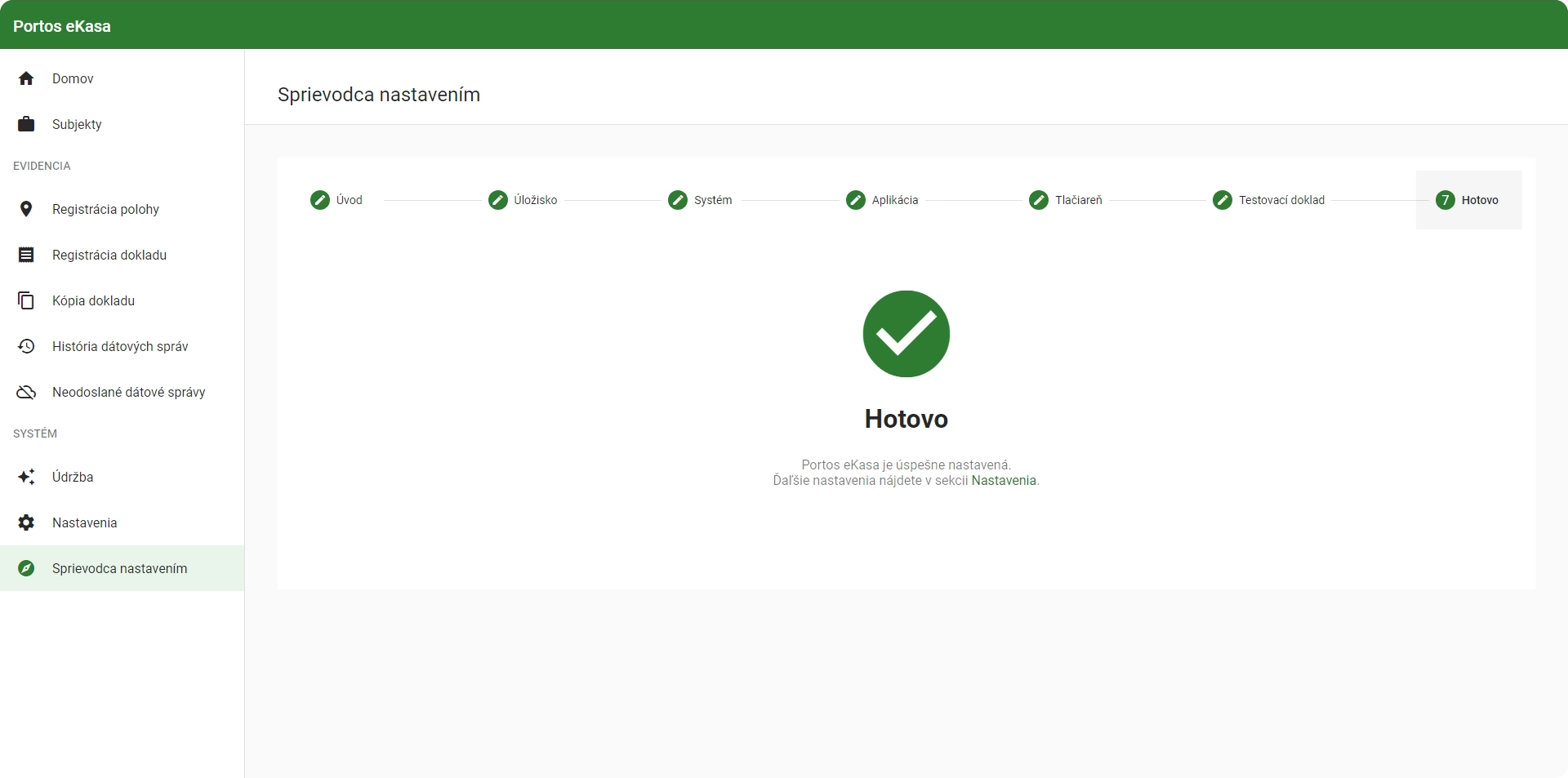
Setup wizard
Connect the storage, install eKasa and the wizard takes you through the remaining steps.
- 1Introduction
- 2Storage
- 3System and business data (XML)
- 4Application
- 5Printer
- 6Test receipt
- 7Done
What must be ready at the point of sale
Sunmi P3 MIX or P3h Dual, Ingenico DX4000 or DX8000, PAX A920Pro. We deliver it with eKasa and the payment app pre-installed.
The protected data storage, inserted directly into the terminal.
The terminal's Wi-Fi or mobile data.
A QR code or an eight-character code to activate a specific device.
Terminal activation
eKasa comes pre-installed on the terminal. Everything else happens right on the terminal, without a computer.
- 1Insert the SwissBit microSD card
- 2Scan the activation QR code
- 3Wait for the activation to be approved
- 4Done, the terminal is ready
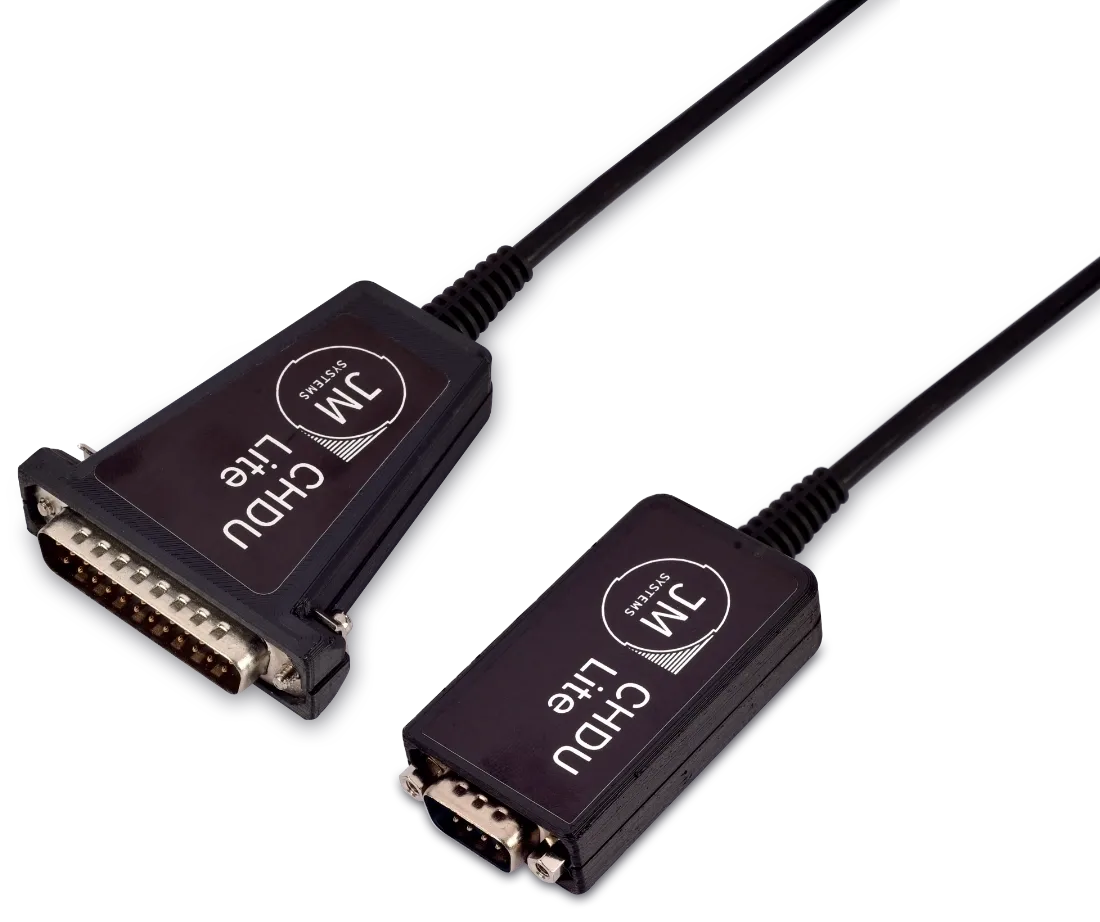
We have everything for deployment in stock.
For service centers, we run a wholesale e-shop. Order today, deploy at your client's site tomorrow.
Frequently asked questions from technicians
Which printer can I use with eKasa?
Any printer with a serial interface and 80 or 57 mm wide thermal paper that prints Slovak diacritics. eKasa can also print the QR code as an image, so your clients can keep older models too.
Where do I order the protected data storage?
In our e-shop. Contact us and we will set up a partner account for your service company.
My client's software is not on the list of compatible software. What now?
Contact the authors of the software about connecting it to Nine Digit eKasa. We will give them everything they need for a successful integration.
Do I need a computer for the payment terminal?
No. We deliver the terminal with eKasa pre-installed. You insert the microSD card and activate the terminal by scanning a QR code.
Become our partner.
We will set up your e-shop account and help with your first deployment. We will get back to you within a few hours.